The scenario is all too familiar: sitting in the salon chair, trying to explain a specific "ashy-but-warm bronde" to your stylist, only to walk out with a color that completely misses the mark. For years, we relied on magazine cutouts and vague descriptions to find our next look. Now, AI has completely revolutionized this process, turning guesswork into instant visual reality.
However, to get the exact results you envision from AI, you need to know how to communicate with it. A well-crafted prompt for hair color acts as your personal translator, turning a vague idea in your head into a highly detailed, professional reference image you can actually use.
In this guide, we skip the theory and dive straight into the practical stuff. We will give you the exact prompt formulas to visualize your dream hair color, show you how to use AI color analysis to ensure that shade actually flatters your skin tone. Let's go.
Finding Your Dream Shade: The Ultimate AI Prompt for Hair Color
Often, you have a vague idea in your head—like "a brown with some grayish tones"—but you don't know the professional salon terminology. When we can't describe our vision clearly, the stylist struggles to grasp exactly what we mean, leaving everyone a bit confused. Sometimes, a photo is just far more intuitive.
This is where a well-crafted AI prompt for hair color acts as your personal translator. It helps you turn a blurry concept into a crystal-clear, high-definition reference photo, completely eliminating the communication gap.
The Winning Formula & Practical Prompts
To get stunning, realistic results from general AI image generators, you need a structured formula rather than just typing "blonde hair." Here is the available formula to use:
[Subject Description] + [Hair Length/Texture] + [Professional Color Terminology] + [Lighting/Vibe]
Here are several highly effective, copy-and-paste prompt examples using this formula:
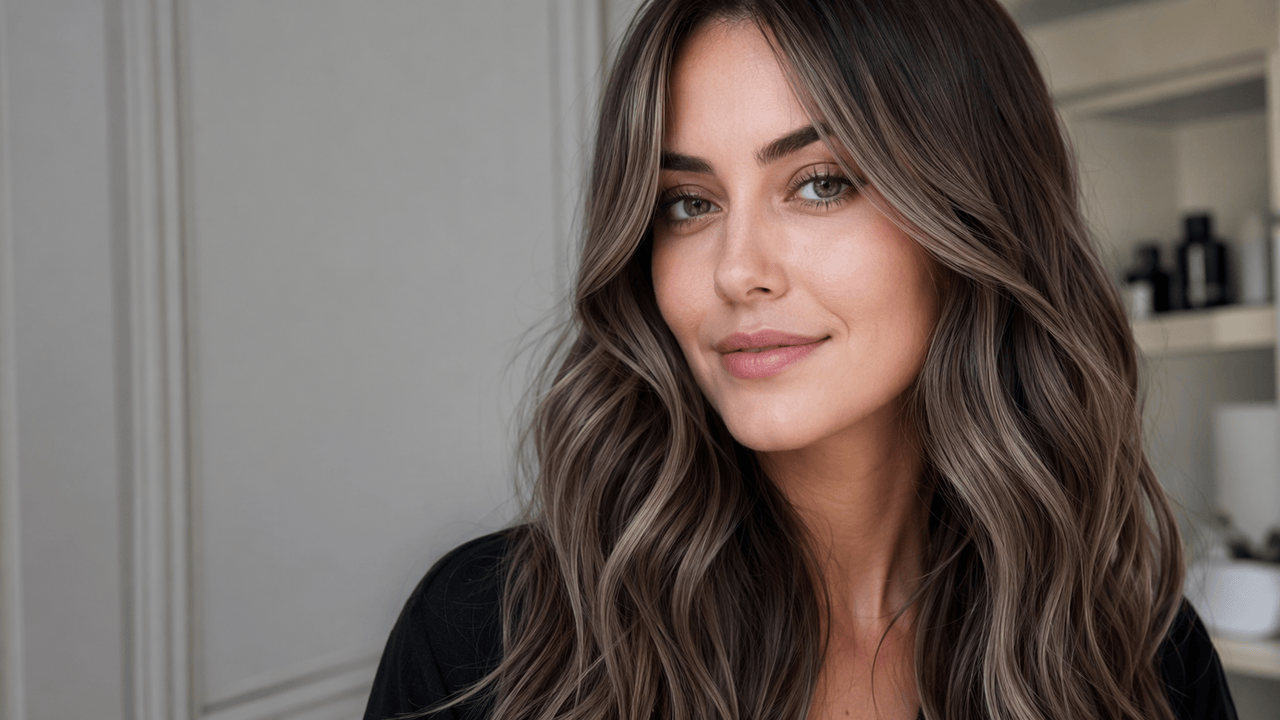
Example 1: The Lived-In Cool Brunette
If you want that trendy, low-maintenance ashy brown, you need to use terms like "balayage" and "undertones."
Prompt: A photorealistic close-up portrait of a woman with long, soft wavy hair. The hair color is a mushroom brown balayage with cool ashy undertones and subtle face-framing highlights. Soft natural daylight, highly detailed.
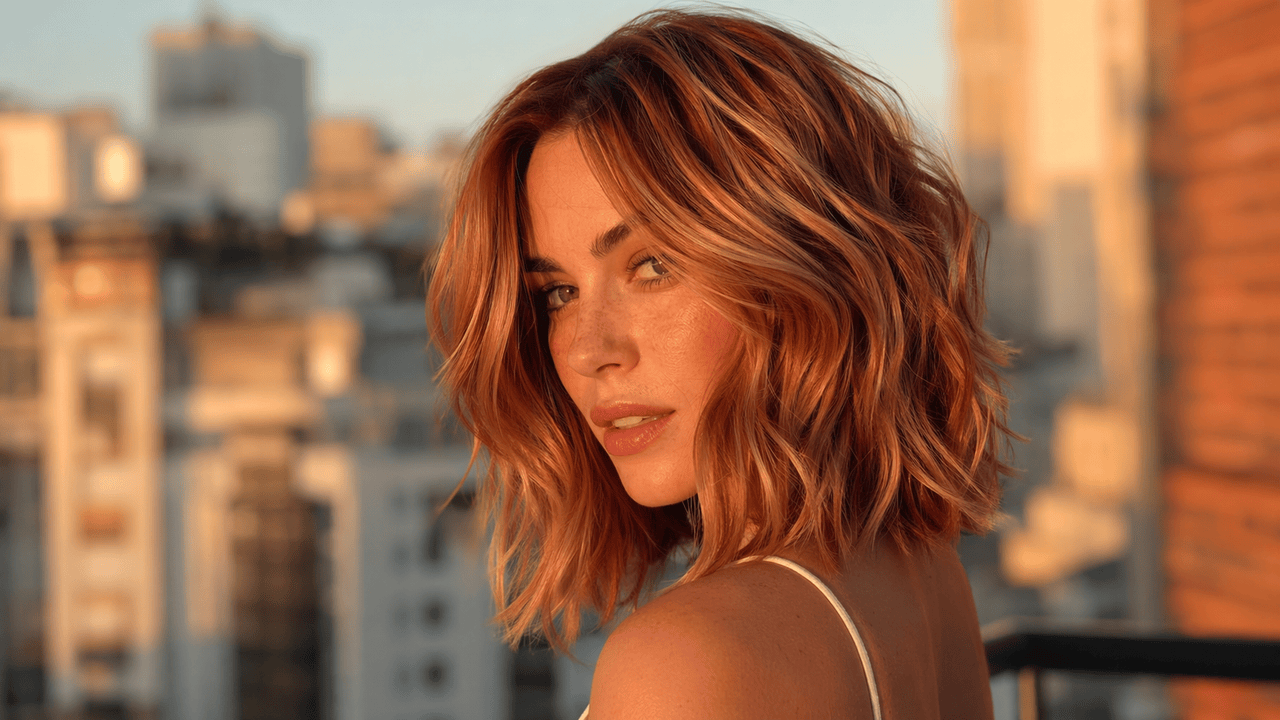
Example 2: The Dimensional Copper
Flat red hair looks fake. AI needs to know you want dimension and specific lighting to make it pop.
Prompt: A cinematic portrait of a woman with a textured shoulder-length bob. The hair features a rich copper auburn base with dimensional strawberry blonde babylights. Golden hour lighting, ultra-realistic.
Example 3: The Icy Platinum Blonde
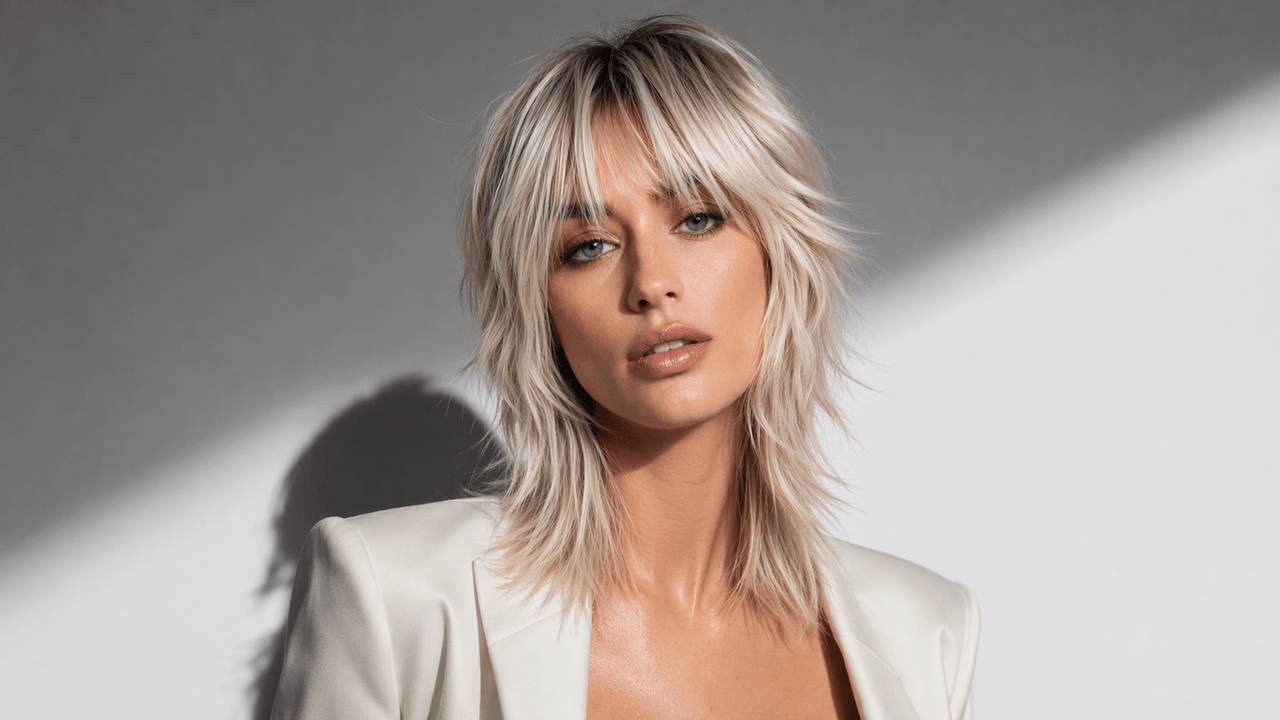
To avoid AI giving you a brassy, yellow-toned blonde, you must specify the exact cool tones and the rooting technique to make it look expensive and natural.
Prompt: An ultra-realistic portrait of a woman with a layered shag haircut. The hair is an icy platinum blonde with a subtle cool ash shadow root for depth. Soft directional side lighting with sharp, angular shadow patterns on the wall.
The Reality Check: From "Model" to "You"
Using these prompts will help you nail down your exact vision. However, a beautiful reference photo only solves half the puzzle. The real challenge is determining how that specific shade translates to your own features. A color that looks breathtaking in a generated image can easily wash you out in real life if it doesn't align with your natural complexion.
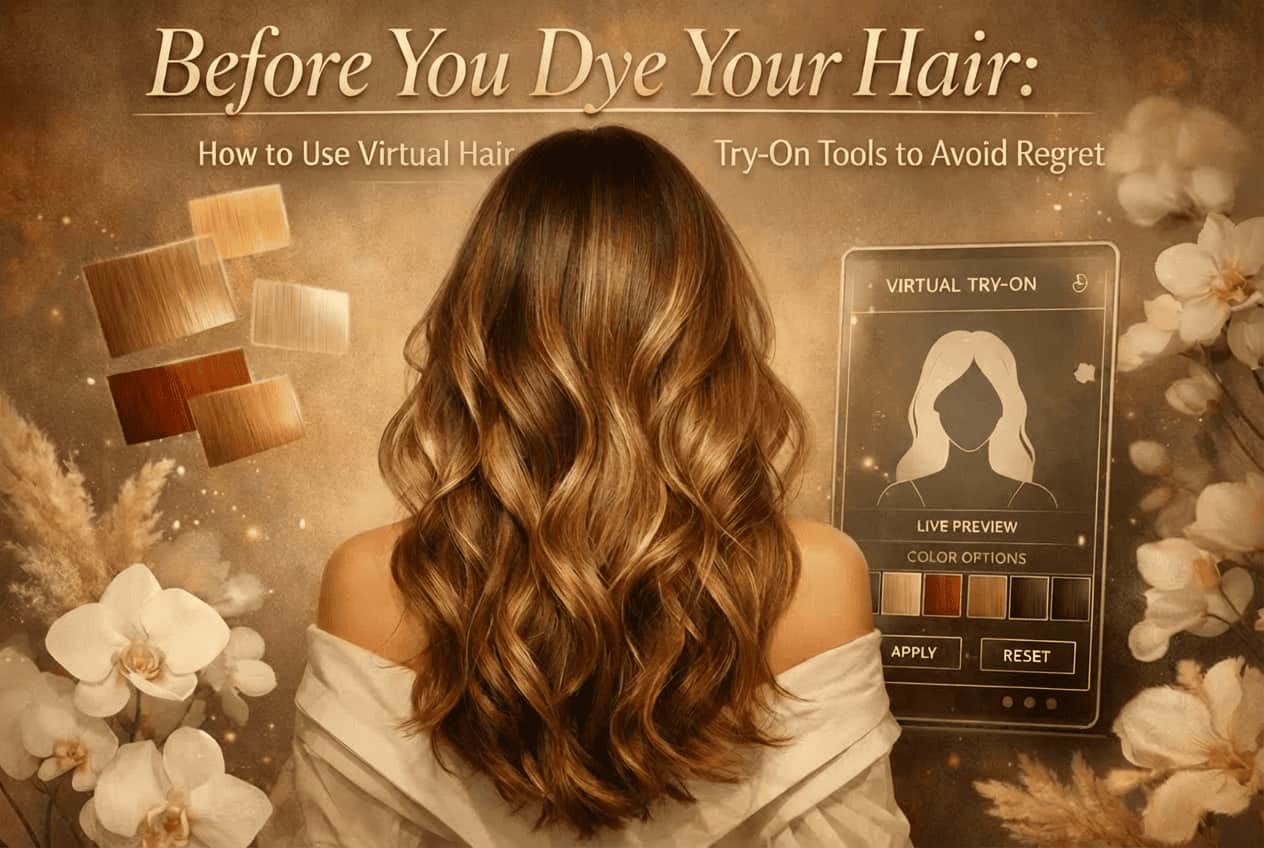
Instead of taking a leap of faith at the salon, many people now use virtual tools to bridge this gap. An AI Hair Color Changer can be incredibly helpful in this scenario. By experimenting with a virtual try-on hair color feature, you can upload a quick selfie and see exactly how that icy blonde or copper auburn pairs with your skin tone. It is a simple way to get a realistic preview and build confidence in your choice before making any permanent changes.
The Core Foundation: Finding the Right Color with AI
Even if you have the perfect reference photo, applying a shade that clashes with your skin's undertone can leave you looking washed out or tired. On the flip side, the right color can literally make your complexion glow. Because of this, we always say color analysis is a helpful tool helping us discover our perfect hair color match.
The ChatGPT Image 2 Trend: AI Color Analysis
Recently, there has been a massive trend in using AI for personal color analysis. With OpenAI's latest updates—specifically the advanced image recognition capabilities often referred to as ChatGPT Image 2—anyone can now upload a photo and get an instant visual assessment.
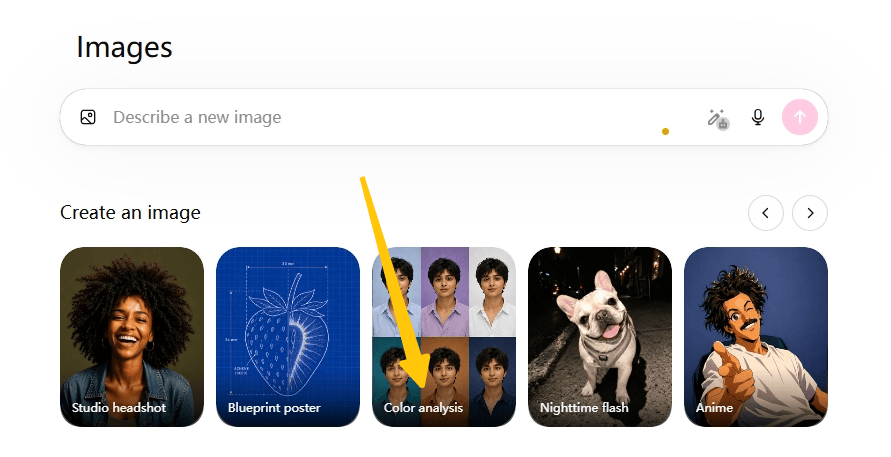
Ever since ChatGPT introduced these new visual features, people have been rushing to test them out. Savvy users quickly realized they could take this a step further by combining general seasonal color theory with specific beauty decisions. As a result, running a ChatGPT hair analysis to figure out the perfect shade has become a viral hack.
Typically, when testing this feature, users start with a basic ChatGPT color analysis prompt with photo—simply uploading a selfie to find out their general seasonal palette.
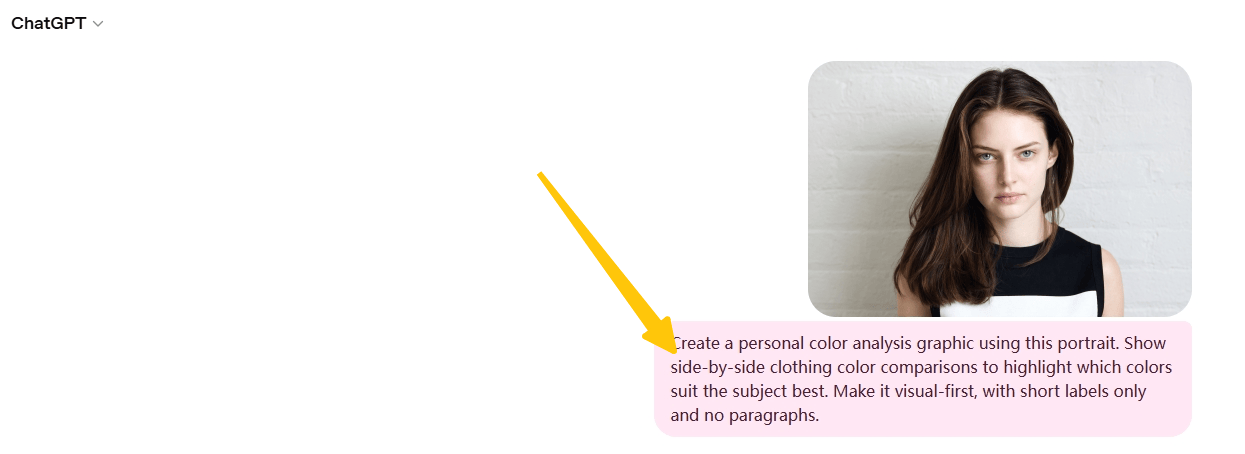
However, if you want a more detailed breakdown that actually applies those seasonal results to your hair, a basic prompt isn't quite enough.
To bridge the gap between general color theory and specific hair recommendations, users upgrade to a more advanced, targeted ChatGPT hair color analysis prompt.
Prompt: Please analyze the uploaded photo to determine my skin undertone (cool, warm, neutral, olive, neutral-cool, or neutral-warm), overall contrast level, depth, and chroma, while also accounting for possible lighting bias, makeup, camera white balance, or image saturation that could affect color accuracy. Based on these characteristics, identify my most likely seasonal color profile and explain your reasoning in a natural, detailed way rather than only giving a final label.
Then recommend 3 highly flattering hair colors that would best harmonize with my complexion, eye color, contrast level, and seasonal palette. If the image quality is not sufficient for a fully confident analysis, mention any uncertainty instead of forcing a definitive result.
The Catch: Why ChatGPT Image 2's Results Can Fluctuate
ChatGPT's image capabilities make exploring your color palette incredibly fun. However, it helps to understand the technology's current boundaries. ChatGPT is a brilliant generalist AI; it is not a specialized personal color analysis engine.
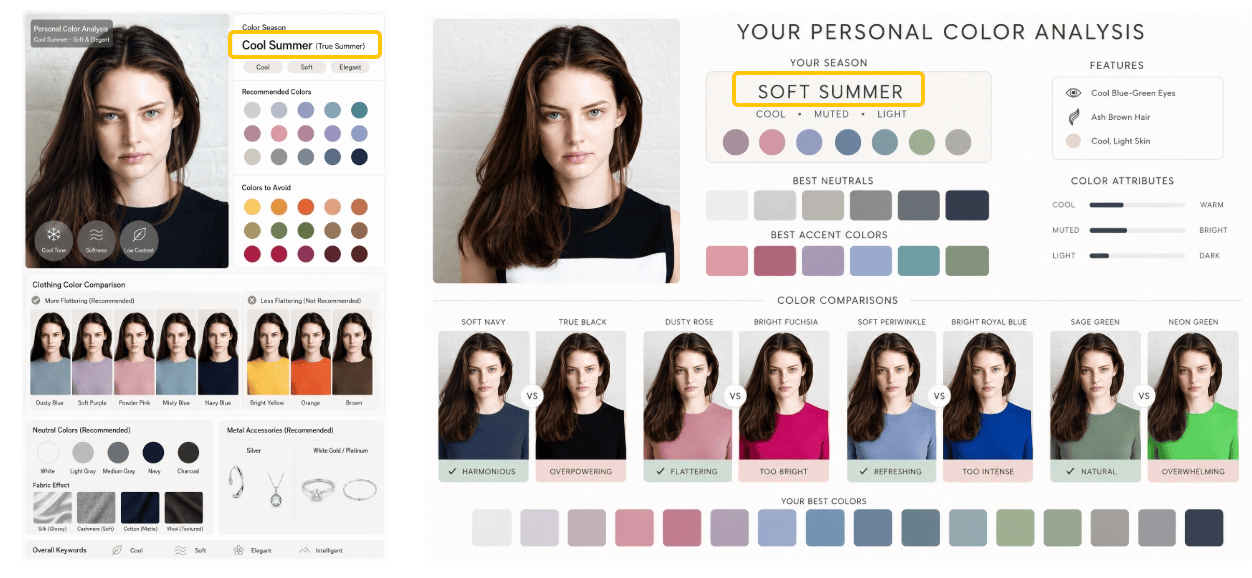
Because it relies on general visual reasoning rather than standardized beauty datasets, its conclusions can be quite unstable. Factors like room lighting, camera HDR, or even a slight change in how you phrase your prompt can completely alter the AI's judgment. It is a very common experience for users to be labeled a "Cool Summer" in one photo, only to be categorized as a "Soft Summer" the next day just because of the lighting or any other factors.
The Specialist Approach
While general AI models are fantastic for casual inspiration and brainstorming, anyone looking to make a real-life hair decision usually wants a definitive, reliable answer.
In situations like this, a professional AI Color Analysis tool proves to be far more reliable. Unlike general conversational bots, these dedicated tools are built entirely around calibrated skin detection and standardized seasonal logic. They are engineered to accurately map your contrast levels and extract true undertones, providing a stable report that doesn't swing back and forth. By relying on a beauty-specific algorithm, you can confidently pinpoint your true season and find the exact shades meant for you.
The Icing on the Cake: Enhancing Your Hair Color with the Right Hairstyle
You've done the color analysis and pinpointed your perfect seasonal shade. However, securing the right color is only step one. A brilliant shade needs the right structural foundation to truly stand out. The haircut is what ultimately dictates how your new color moves, reflects light, and frames your face.
For example, if you are getting dimensional balayage or highlights, you need a layered cut to truly show off that contrast. On the other hand, soft, romantic shades like strawberry blonde or pastel pink look incredibly rich when styled with voluminous waves rather than flat, straight hair. Think of the color as the main event, and the hairstyle as the perfect frame.
Combining Cut and Color: Advanced Prompts
You might have noticed that our earlier hair color prompts already included basic hair textures, like "soft waves." So, what makes a dedicated hairstyle prompt different?
The difference lies in the focus. In a color-centric prompt, the hairstyle acts merely as a canvas to showcase the dye job. A dedicated hairstyle prompt, however, shifts the AI's focus to the precise architecture and geometry of the cut itself. Instead of general terms, you are instructing the AI on specific salon techniques—like a layered butterfly cut, a blunt glass bob, or a textured mid-fade—so you can see exactly how a distinct shape interacts with your chosen shade.
Here are five highly effective examples you can copy and paste:
- For Women (Trendy & Layered):
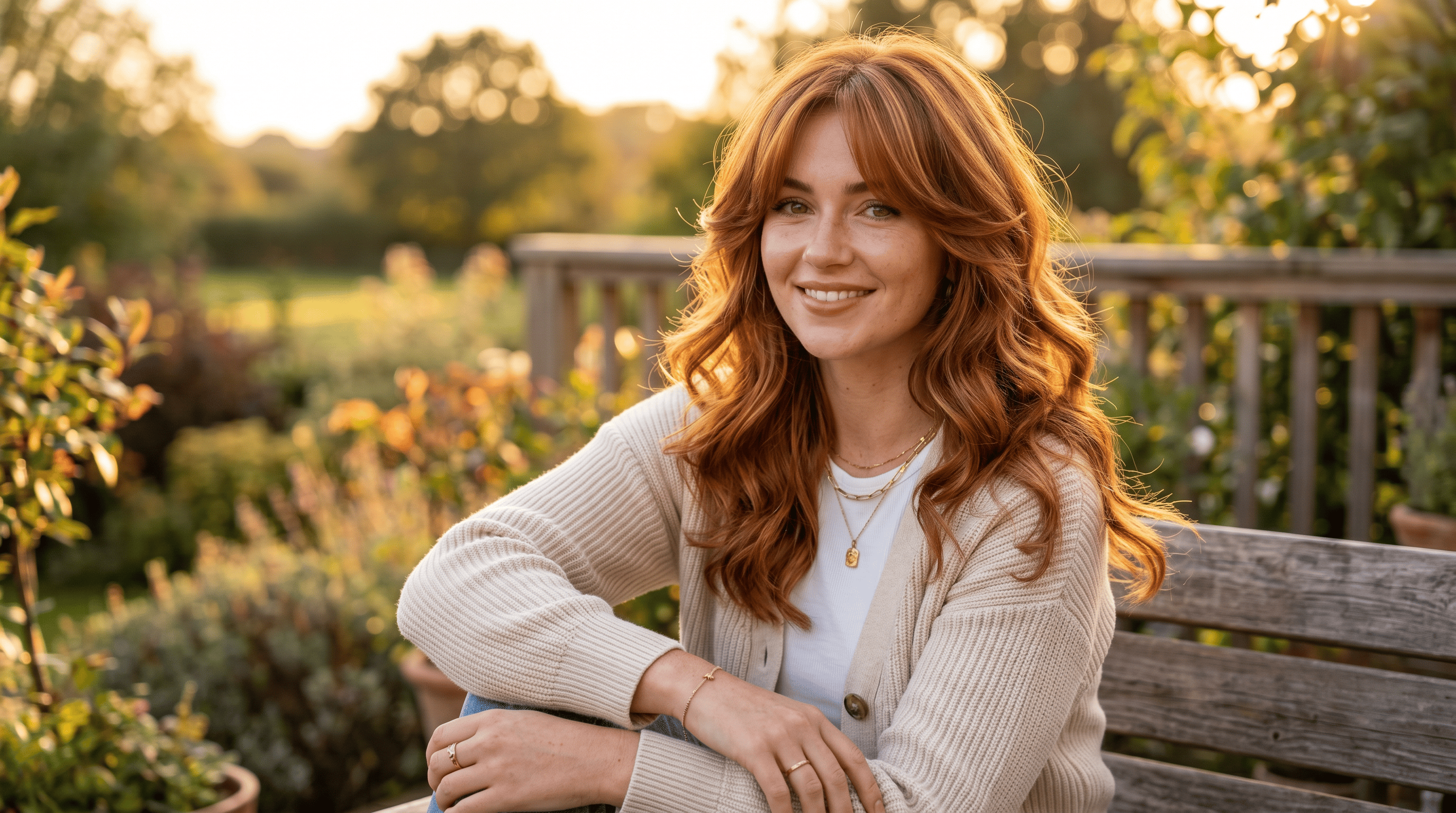
For an everyday, ultra-feminine look, the butterfly cut adds massive volume and movement. Use this ChatGPT hairstyle prompt for females to visualize how those heavy, sweeping layers interact with a warm, multidimensional color:
Prompt: A highly detailed, photorealistic portrait of a woman with a trendy layered butterfly cut and sweeping curtain bangs. The hair is styled in loose, voluminous waves to perfectly highlight a rich copper auburn base with subtle golden highlights. Casual, chic vibe, natural golden hour lighting.
- For Women (Sleek & Elegant):
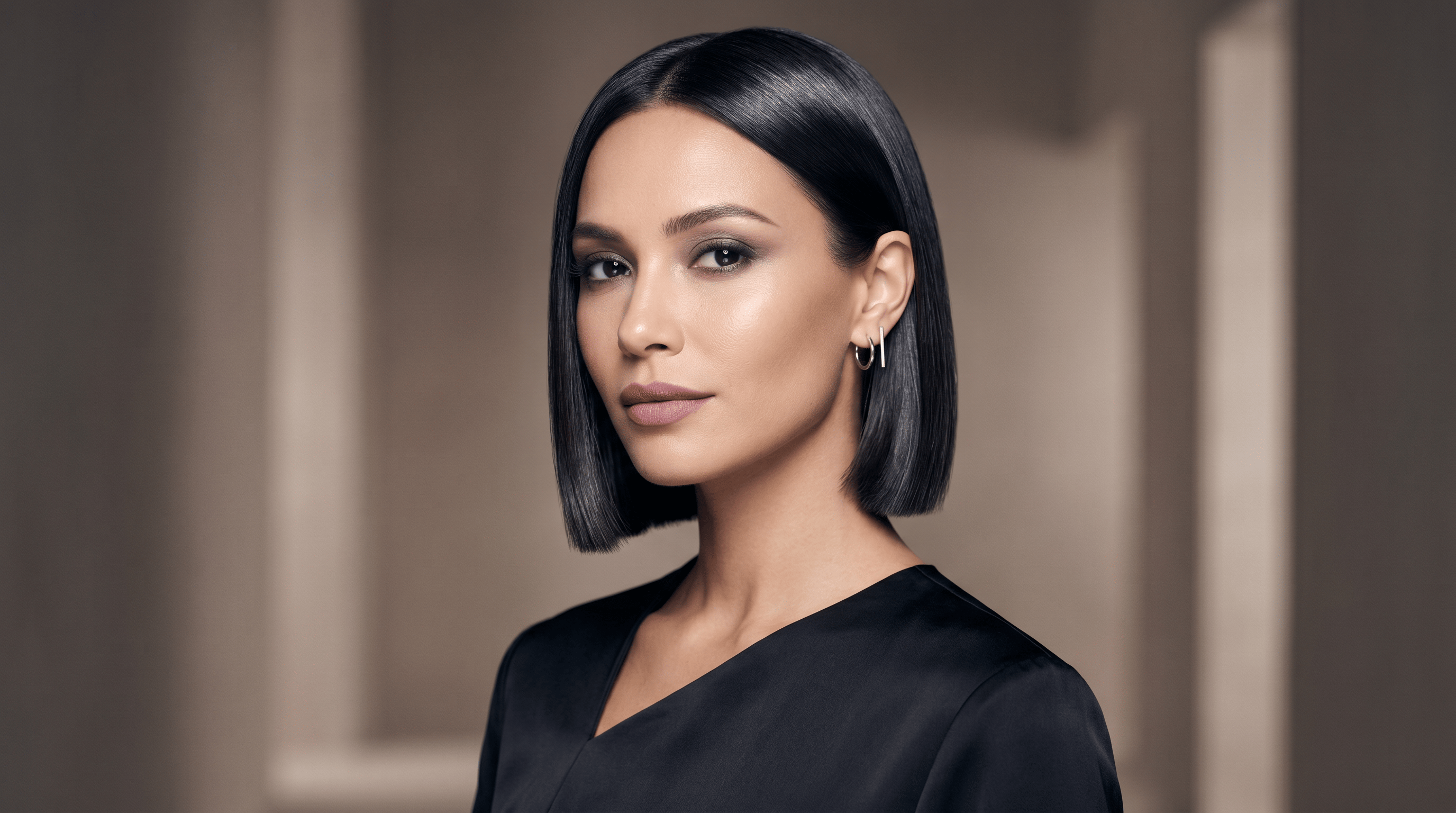
If you are aiming for a powerful, sophisticated aesthetic—perfect for a chic corporate setting or high fashion—a sharp geometric cut is essential. This prompt emphasizes a glass-like, reflective finish:
Prompt: A portrait of a woman with a sleek, blunt-cut glass hair bob that hits right at the jawline. The hair color is a solid, icy, cool-toned espresso black with a high-gloss finish. Professional studio beauty lighting, elegant and modern.
- For Women (Short & Edgy):
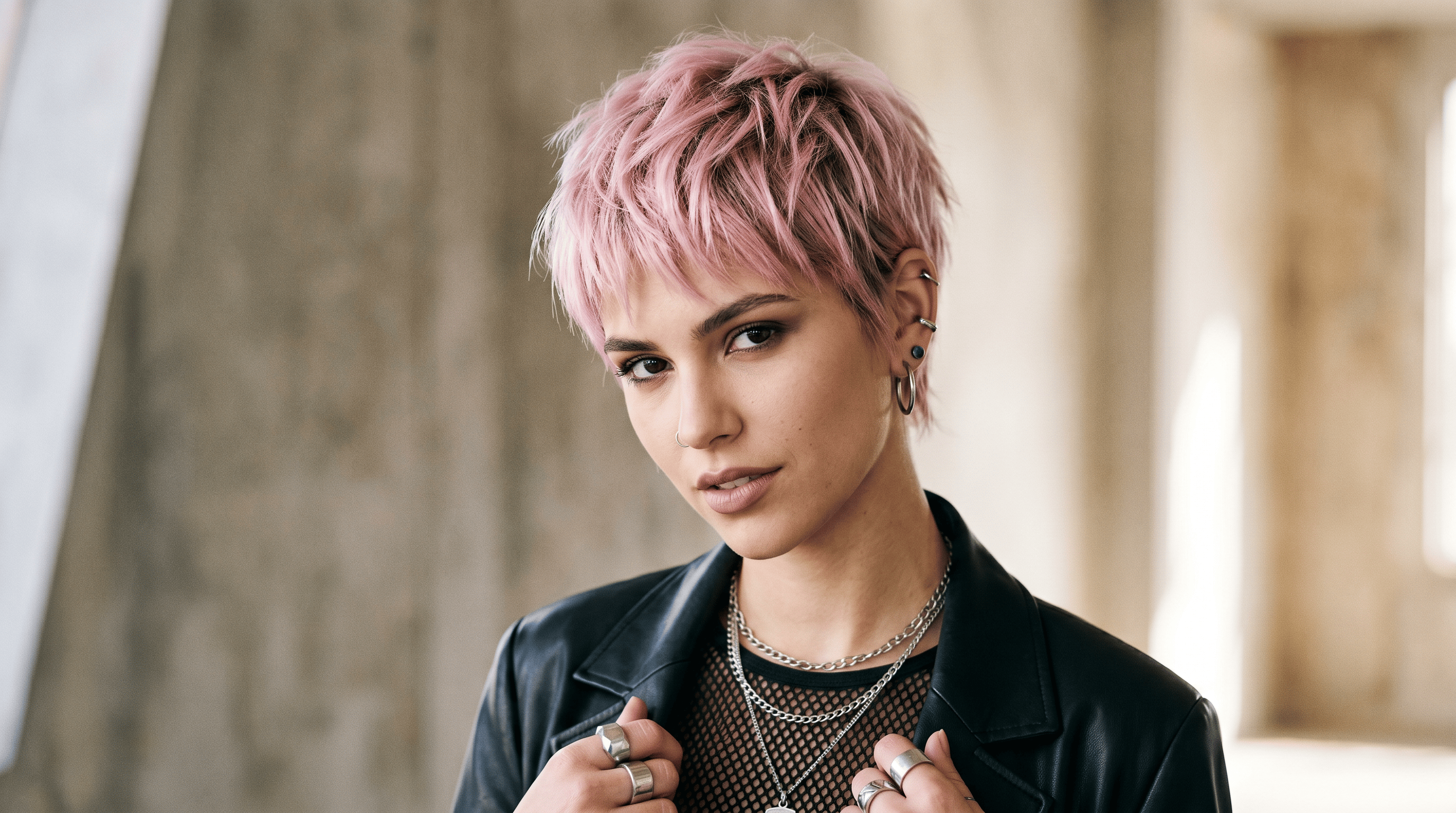
For those seeking a dramatic, head-turning transformation, a textured pixie is the ultimate statement piece. It is the perfect structure to make vibrant, unconventional colors truly pop:
Prompt: A high-fashion portrait of a woman with a choppy, textured pixie cut. The hair color is a vibrant, dusty pastel pink with a subtle, darker shadow root for depth. Edgy and modern styling, soft diffused studio lighting.
- For Men (Classic & Textured):
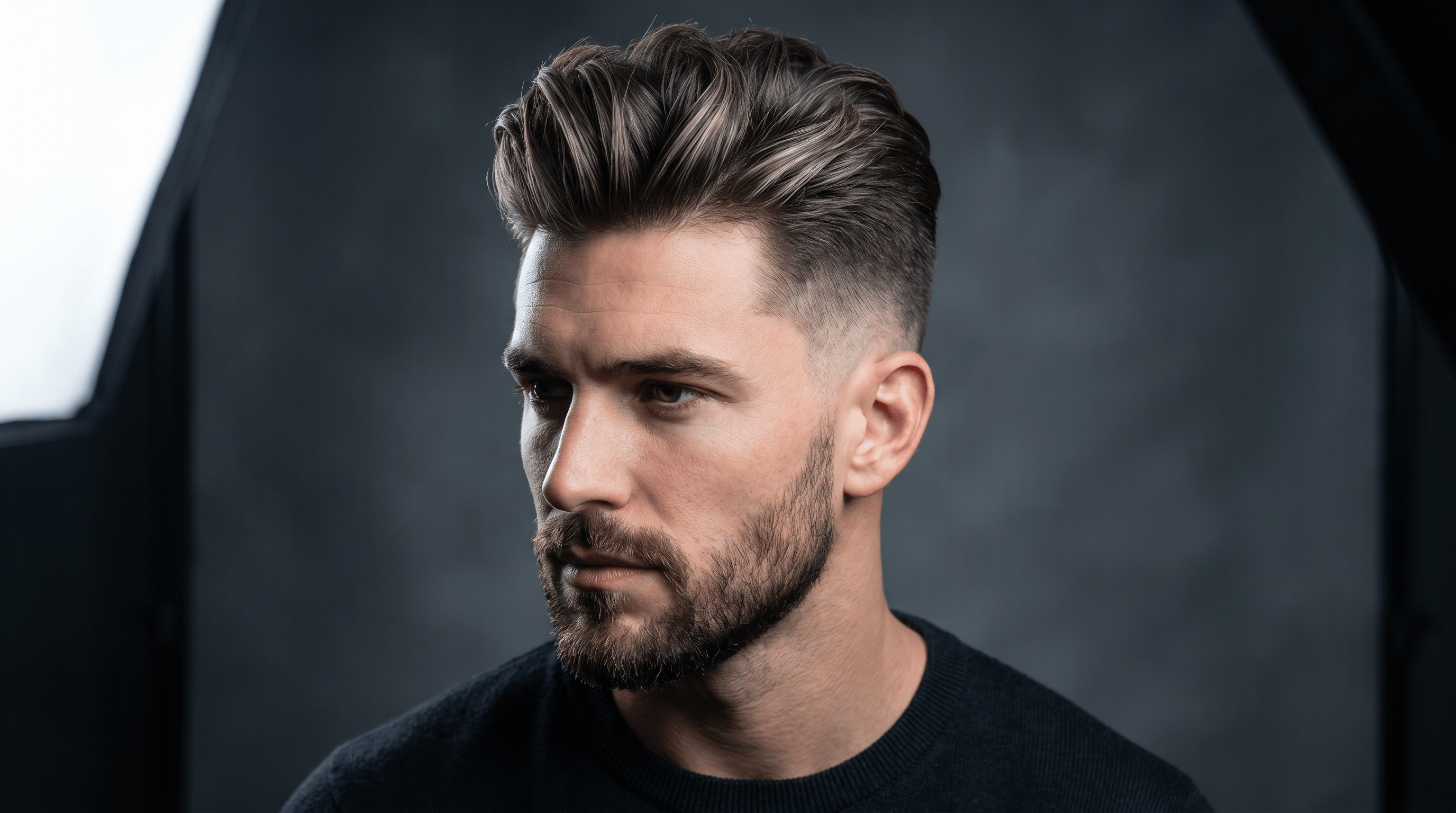
For a sharp, boardroom-ready aesthetic with a modern twist, a classic pompadour with a clean fade is unbeatable. This ChatGPT hairstyle prompt male shows how to add subtle color dimension to enhance the hair's natural texture:
Prompt: A photorealistic portrait of a handsome man with a classic textured pompadour and a clean mid-fade on the sides. The longer hair on top features a dark matte brown base with subtle, natural-looking ash blonde highlights to add texture. Sharp, professional studio lighting.
- For Men (Relaxed & Wavy):
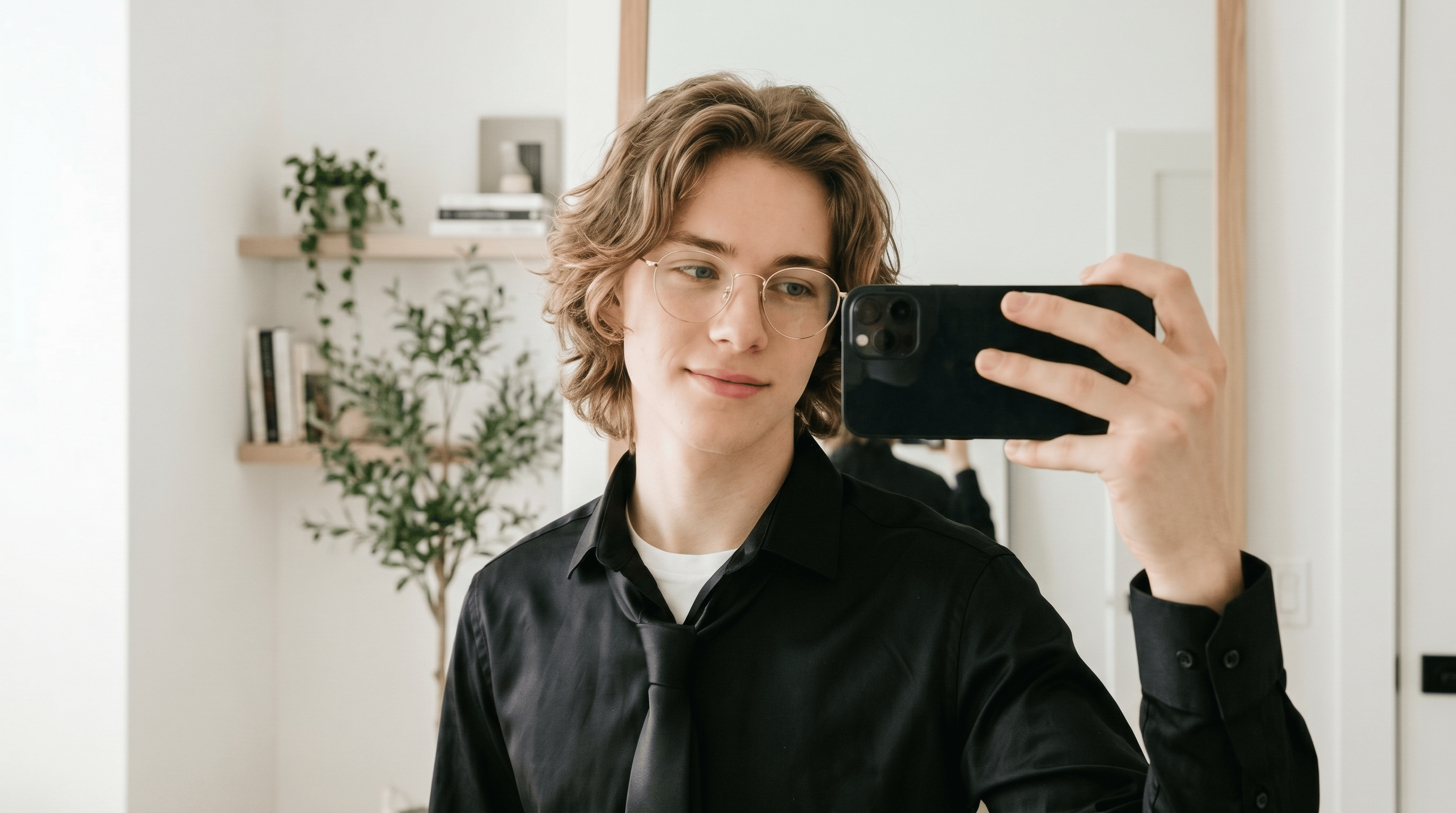
If you prefer a relaxed, effortlessly stylish bro flow look with natural movement and sun-kissed sandy blonde tones, this medium-length layered hairstyle is an excellent match. The prompt captures the soft wavy texture, natural lowlights, and bright daylight aesthetic that give the style its cinematic yet easygoing appeal:
Prompt: A cinematic lifestyle portrait of a young man with a medium-length layered wavy bro flow hairstyle, sun-kissed sandy blonde hair with natural lowlights, soft natural daylight, relaxed styling, indoor mirror selfie aesthetic.
The Final Reality Check: Will This Cut Suit Your Face?
At this stage, you have two excellent paths for visualizing your final look. If you simply want to build a mood board or explore broad aesthetic concepts, generating images with a general AI model is a fantastic choice. It provides endless inspiration and helps you communicate the overall vibe to your stylist.
However, if your goal is to confirm whether those sweeping curtain bangs or that sharp geometric bob actually flatter your specific face shape, you will want to take a more personalized approach.
For this precise task, you can pick a dedicated AI Hair Style Changer. Rather than generating a completely new, artificial image from scratch, a specialized Virtual try-on hairstyle tool focuses entirely on face consistency. It is engineered to keep your exact facial features while seamlessly applying the new haircut and your chosen color.
By locking in your real face and only altering the hair, you get a hyper-realistic preview of the complete makeover. It is the perfect final step to bridge the gap between inspiration and reality, ensuring your new look is a guaranteed success before you ever set foot in the salon.
Mastering Your Perfect Look
By mastering the right prompts for hair color, you now have the power to instantly generate the exact shades and styles you have been imagining. When you combine these precise prompt formulas with AI color analysis to lock in your true season and use virtual try-on tools to verify the final result on your own face, you completely eliminate the guesswork.
You now have the exact words, formulas, and tools you need. The rest is simply about exploring your creativity and making your next salon decision with absolute confidence.